
Porchlight uses Zendesk's own request components, so every ticket field type, conditional field, attachment rule and CAPTCHA works as Zendesk intends. Porchlight styles them and adds what helps a store's support team: the order number first, and photos for damaged or wrong items.
The request form
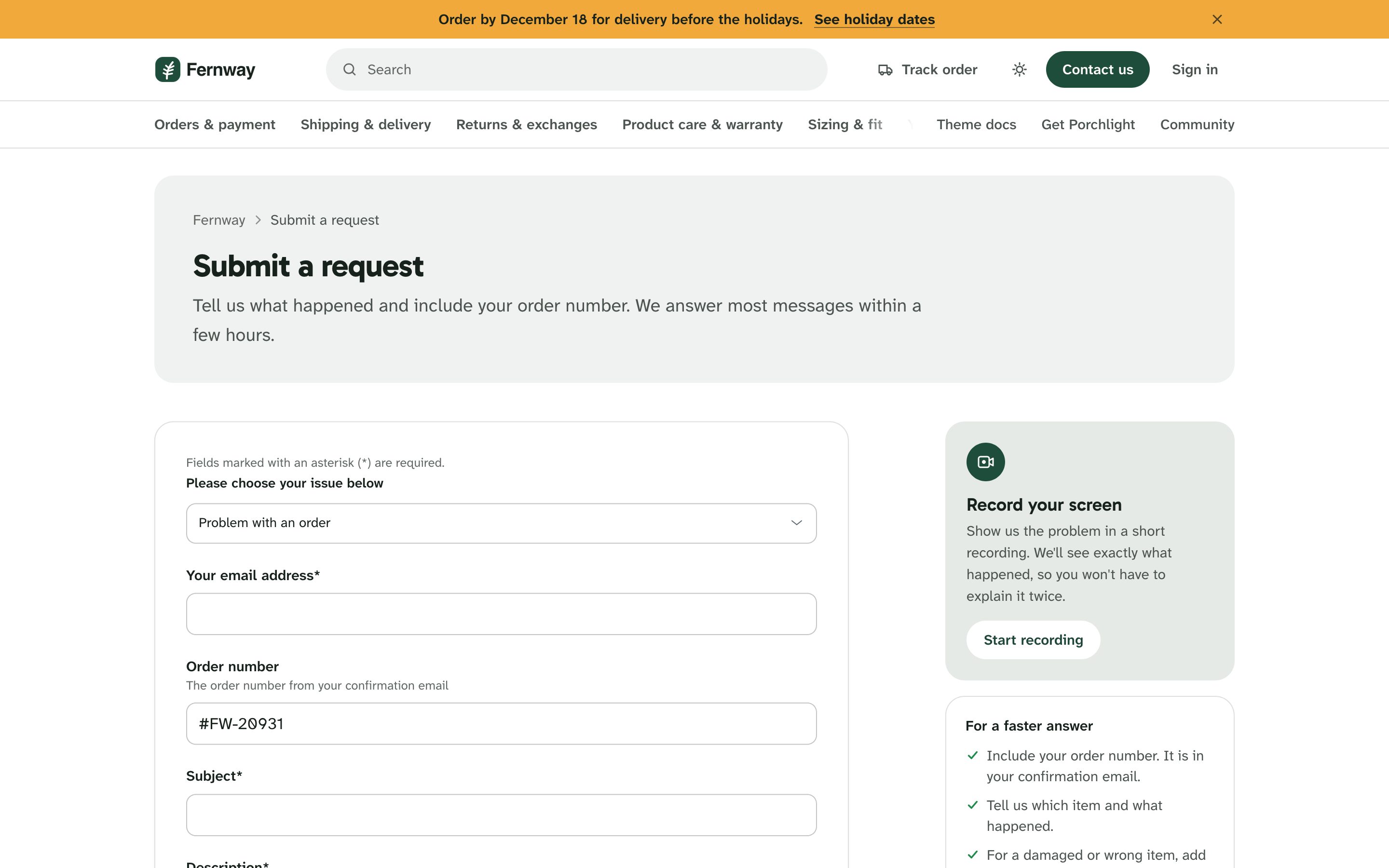
- Order number first: with Order trackingOrder number field set, that field moves to the top of every form that has it, filled with the number the shopper typed in Track your order, with your Order number hint under it. See Order tracking.
- Photos on order problems: on the form set in Order trackingOrder request form, the attachments area asks shoppers for photos of the item and its packaging.
- For a faster answer: a short list next to the form reminds shoppers to include the order number, say which item and what happened, and add photos for a damaged or wrong item.
- Request form intro: a short note above the form, such as your response time.
- Show suggested articles suggests articles as the shopper types a subject.
- Filter ticket fields by brand keeps each brand's fields to its own forms.
Request types as cards
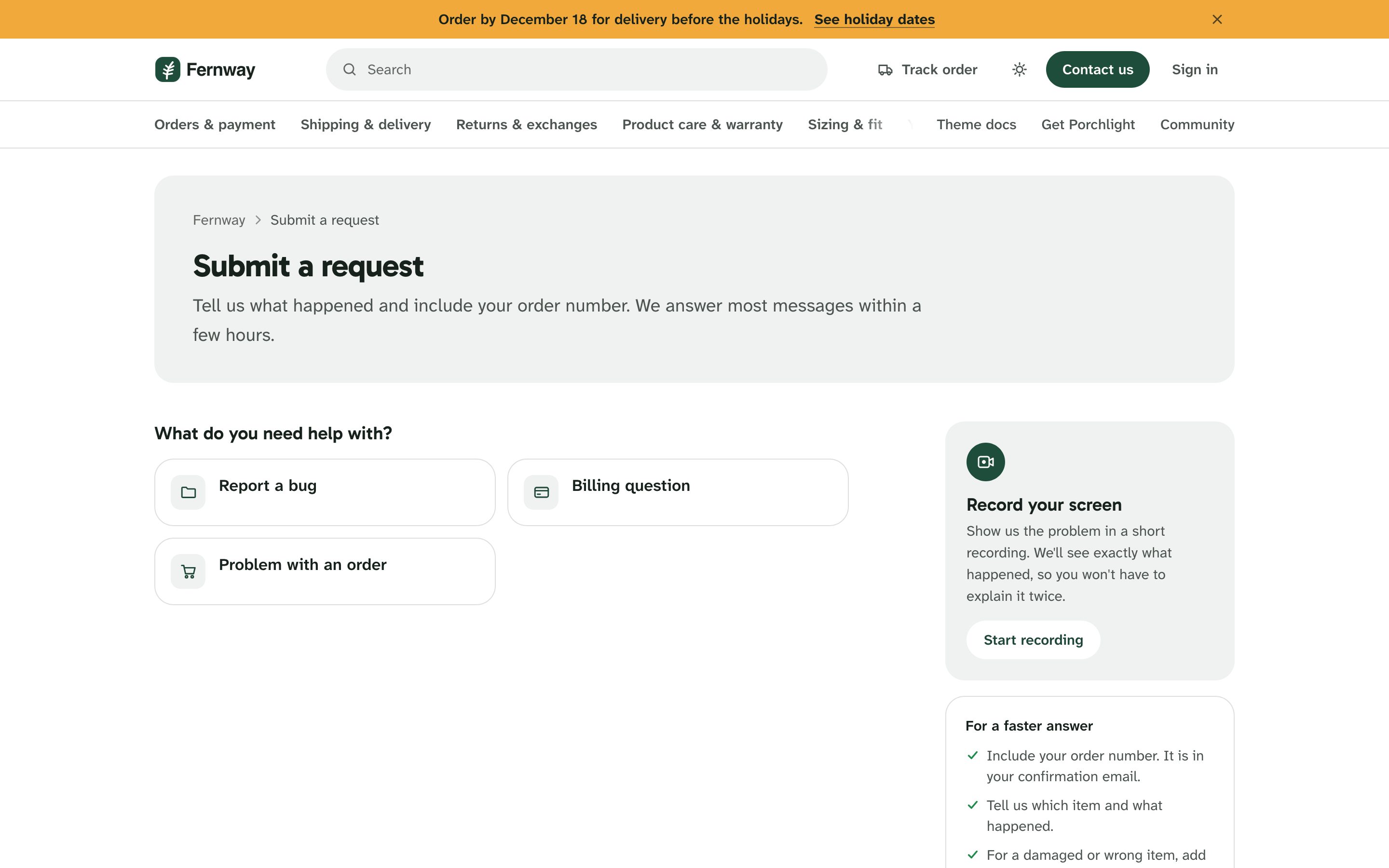
Request types as cards: with more than one ticket form, shoppers choose from cards ("What do you need help with?") instead of a dropdown. Each card gets an icon picked from the form's name. Request type descriptions adds a line under each, as Form name:description pairs separated by semicolons:
A problem with my order:Late, damaged, wrong or missing items; Returns and exchanges:Send something back or swap a size; Product question:Sizing, materials and care
You can use the form's id instead of its name.
Every kind of field
Every field type is styled: text, multi-line text, number, decimal, date, checkbox, regular-expression fields, dropdowns with nested options (Problem::Damaged), multi-select, attachments and the description editor. Errors show next to the field. Long form names and long labels wrap inside the card.
Screen recording
Screen recording link: your Screendesk recording link adds a Record your screen card next to the form, so a shopper with a checkout or account problem can show it instead of describing it.
My requests and a single request
My requests shows Zendesk's tabs, search and a table with colored status pills. Custom ticket statuses get a color from their category. A single request shows the conversation with your team's replies marked, the reply box and a details card.
Profiles
Profiles, contributions and followed content share the same header and tabs.