
Copy-paste snippets for article authors. Open an article in the Zendesk editor, switch to the
source code view (</>), and paste. Every block reads fine without JavaScript, and they all work in
dark mode, on phones and in right-to-left languages.
Steps
A top-level numbered list is shown as steps. Nothing to add. Use it for returns, exchanges and anything else a shopper does in order.
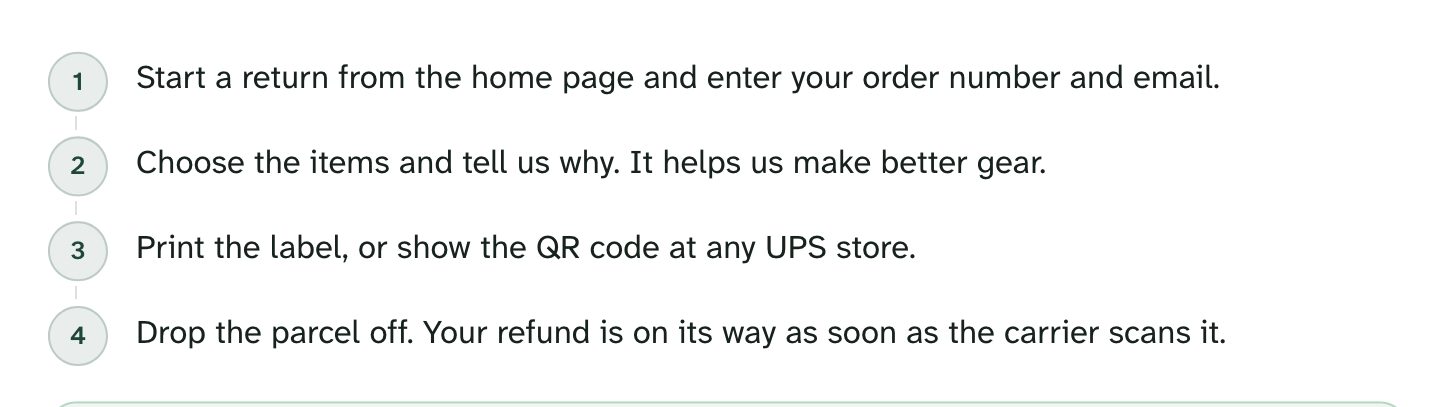
<ol>
  <li>Open <strong>Orders</strong> in your account and choose the order.</li>
  <li>Click <strong>Start a return</strong> and pick the items.</li>
  <li>Print the label and drop the parcel at any post office.</li>
</ol>
Callouts

callout-tip (green), callout-note (brand color), callout-warning (amber), callout-danger (red).
<div class="callout callout-tip"><p>Keep the original packaging until you're sure the size fits.</p></div>
<div class="callout callout-warning"><p>Gift cards and final-sale items can't be returned.</p></div>
Tables
Plain tables, such as size charts and shipping rates. Wide tables scroll inside their frame on phones, so the page never scrolls sideways.
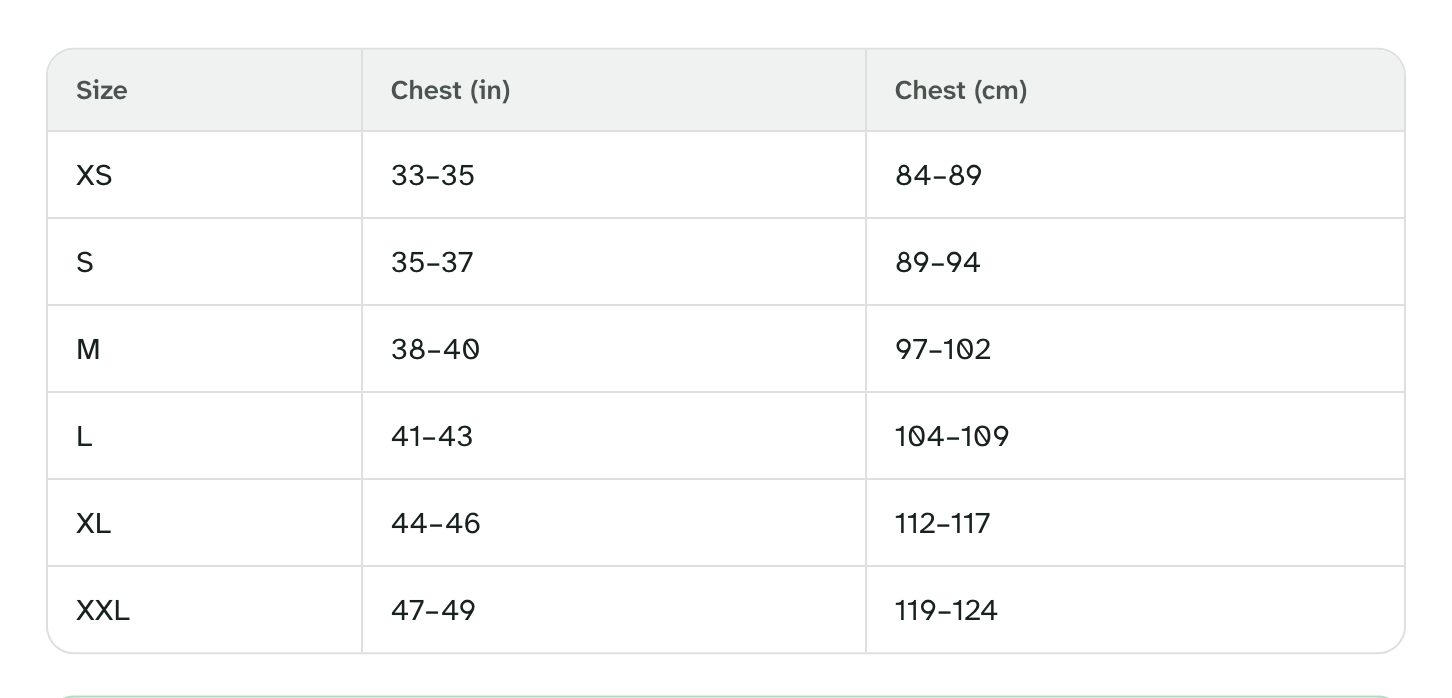
<table>
  <thead><tr><th>Size</th><th>Chest (cm)</th><th>Waist (cm)</th></tr></thead>
  <tbody>
    <tr><td>S</td><td>88–96</td><td>74–82</td></tr>
    <tr><td>M</td><td>96–104</td><td>82–90</td></tr>
    <tr><td>L</td><td>104–112</td><td>90–98</td></tr>
  </tbody>
</table>
Tabs
A tabs box with one heading per tab. Everything up to the next heading goes into that tab. Tabs with
the same name stay in sync across the page, and the reader's last choice is remembered (a shopper who
picks Canada sees Canada on every article).
<div class="tabs">
  <h4>United States</h4>
  <p>Standard shipping takes 3–5 business days.</p>
  <h4>Canada</h4>
  <p>Standard shipping takes 5–8 business days. Duties are included.</p>
</div>
Accordion
Good for a list of short questions in one article.
<details><summary>Can I change my delivery address?</summary><p>Yes, until the order ships. Write to us with your order number.</p></details>
Carousel
A carousel box of images or figures, such as a product from several sides. Readers swipe, or use
the arrows, the dots or the keyboard.
<div class="carousel">
  <figure><img src="…" alt="The jacket from the front"><figcaption>Front: two zip pockets.</figcaption></figure>
  <figure><img src="…" alt="The jacket from the back"><figcaption>Back: a vent under the yoke.</figcaption></figure>
</div>
Code
Code blocks get a Copy button (Code copy button setting), handy for discount codes and gift card
instructions. Inline code uses <code>.
<pre><code>WELCOME10</code></pre>
Keyboard keys
Press <kbd>Ctrl</kbd> <kbd>P</kbd> to print your return label.
Images and embedded media
Images open full screen when clicked (Image zoom setting), when they're shown smaller than their
real size. Add alt text; it is used in the zoom view and by screen readers.
Media you embed with the editor's media button (a YouTube care guide, for example) is sized 16:9 on every screen.