
Shoppers read one answer, not a manual. Porchlight keeps these pages short and easy to scan on a phone.
Topic pages
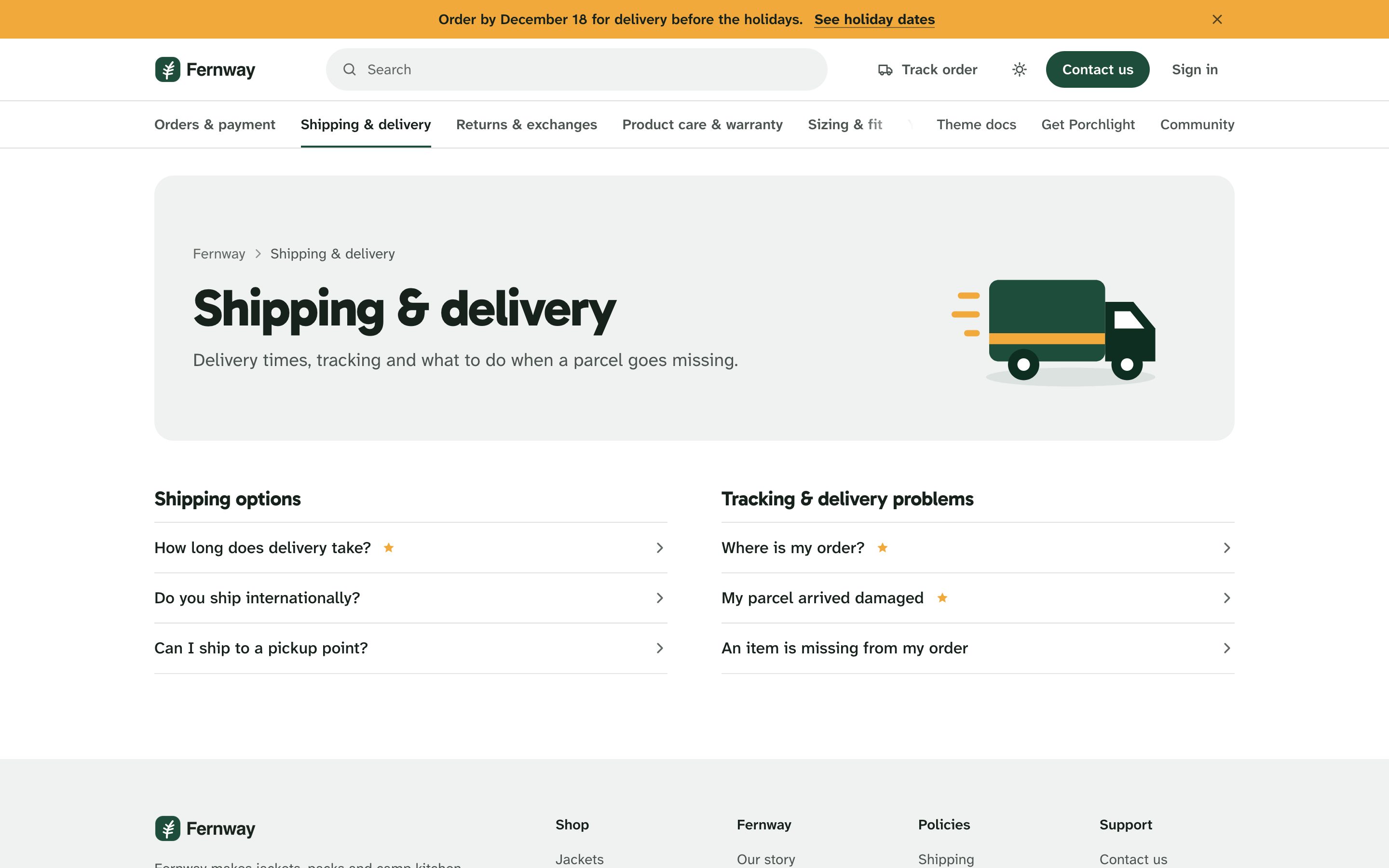
A topic (Zendesk category) opens with a band in your brand's quiet surface color: breadcrumbs, the topic's name and description, and the same drawing as its card on the home page. Below it, each section is a list of its questions, one row each, with a See all link when a section has more than Zendesk shows on the topic page. Promoted articles carry a star. A section that only holds other sections lists them instead.
The topics bar under the header marks the topic the shopper is in.
Section pages
A plain band with the section's name, description and Follow button (Section page elementsFollow), then its sub-sections and articles as rows, with page numbers when there are many.
Article pages
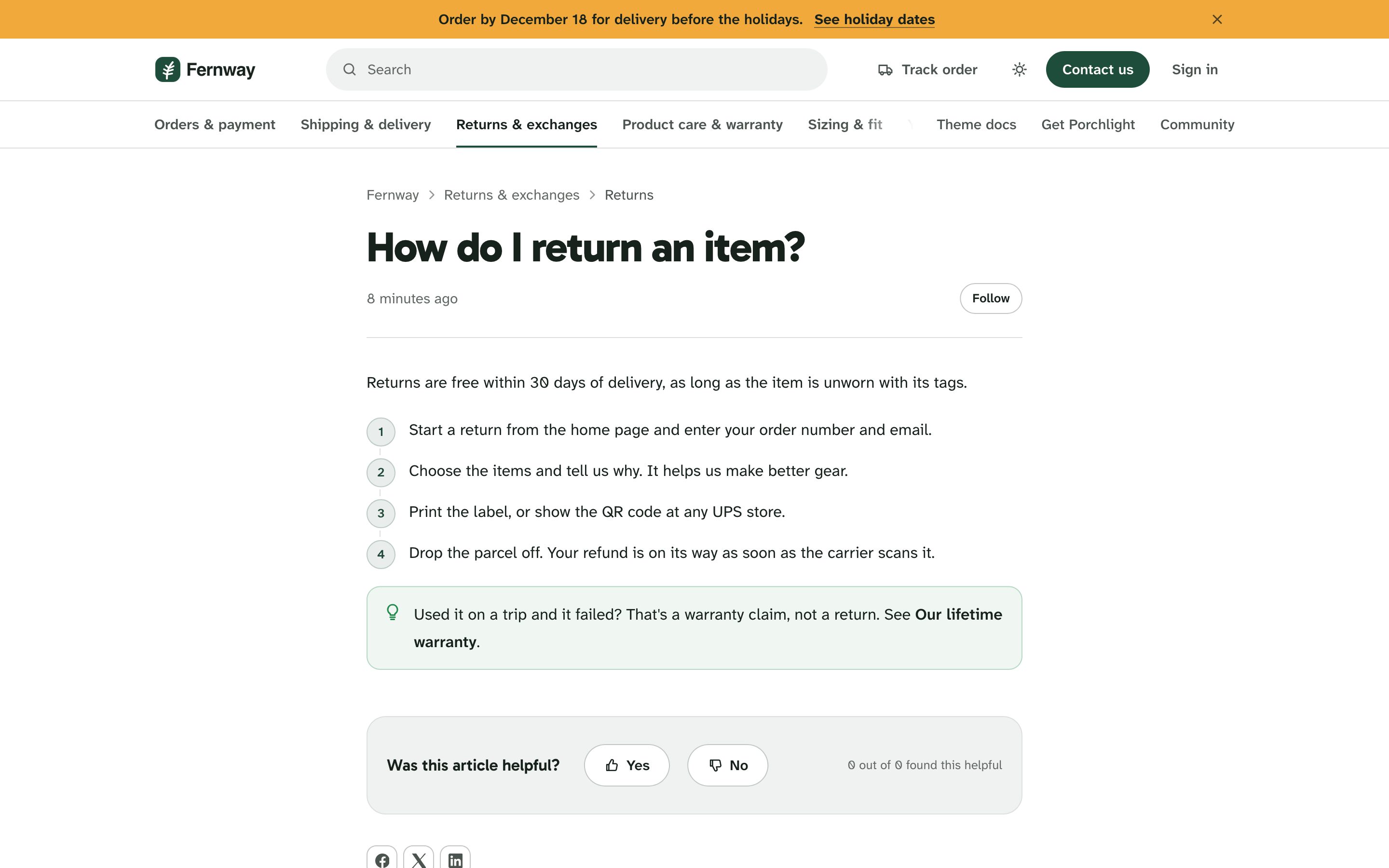
Every article reads in one centered column, 680px wide, with no side menu:
- Breadcrumbs, the title, and the date it was written or last updated. Author adds the author's picture and name. Follow lets signed-in shoppers follow the article.
- The article itself, with steps, callouts, tables and the other content blocks.
- Code copy button adds a Copy button to code blocks. Image zoom opens a picture full screen when it's shown smaller than its real size, such as a size chart or a care label.
- Each heading gets a link icon; clicking it copies a link to that part of the article, handy when you answer a ticket.
- Was this article helpful? With Help after a No vote, a No offers to submit a request.
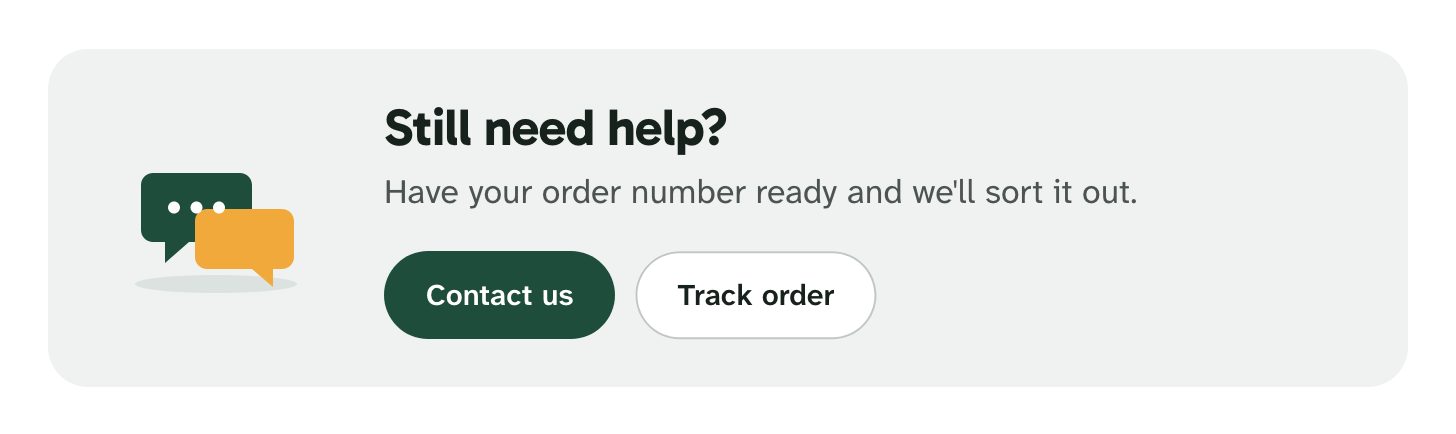
- Still need help? after articles: a card with Contact us and Track order, titled with your Contact title (Still need help? by default) and the line Have your order number ready and we'll sort it out. The Track order button shows while the Track your order card is on.
- Articles in section: More in the article's section, as a list of the other articles in it.
- Related articles, Recently viewed, Social sharing and Comments, each with its own switch under Article page elements.
Content that doesn't fit
Long product names, long URLs, wide size tables and long lines of code stay inside the page on every screen size: words break only when they must, and tables and code scroll inside their frame. Text pasted from Word or Google Docs keeps its bold and colors but takes your theme's font.
Search results
Search results open with a large search field, Zendesk's generative answer when it is on for your help center, and filters by topic and type. Search settingsScoped search in help center keeps results to the topic the shopper is in.