
 Northwind support
Screen recordings
Every bug report, with the technical context
Users record from a link, with no extension to install. Console logs and network requests are captured from your web app while they record.
Learn moreSaaS
Users record the bug in their browser, with nothing to install. Console logs, network requests, and device details come attached, ready for support and engineering.
Trusted by support teams from startups to enterprises












Users show the problem instead of describing it, so agents understand it on the first message.
The recording comes with console logs, network requests, and device details, captured while the user records.
 Send to Linear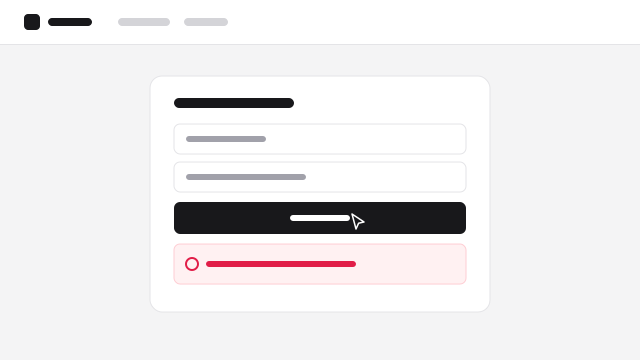
Checkout fails after clicking Pay
I’m trying to pay for the Pro plan but the payment never goes through.
Send the report to Linear, Jira, or GitHub with the recording and logs attached.

HR Software

Documentation Platform
Users record the steps that lead to the bug, with the errors captured along the way.
See the failed request, its status code, and the response, without asking for a HAR file.
Recordings include device, browser, and connection details, so you can tell a slow page from a slow network.
See where new users get stuck, and reply with a video from your library.
Watch exactly what the customer sees on their billing page before you change anything.
Users show what they’re trying to do, so product teams get the context behind a request.
Users record from a link, with no extension to install. Console logs and network requests are captured from your web app while they record.
Learn moreYour team records a tab, takes a screenshot, or saves an instant replay of the last two minutes, with logs attached.
Learn moreStart a call from the ticket. The customer shares their screen, an engineer can join, and the call is recorded and transcribed.
Learn moreNo. Users record from a link in their browser. Your own team can use the Chrome extension to report bugs internally.
Add the Screendesk snippet to your web app. Recordings made on your app then include console logs and network requests.
Yes. Send a report to Linear, Jira, or GitHub with an AI-drafted issue, or use folder automations to create issues automatically.
Yes. The Screendesk MCP server and the sdesk CLI give agents read access to reports, logs, network requests, transcripts, and frames.
Blur sensitive fields with CSS selectors, require privacy consent, and keep recordings in the US or Europe. SAML SSO, SCIM, and audit logs help you control access.
AI
Every recording gets a summary, reproduction steps, expected and actual behavior, and a severity.
On Zendesk, AI Resolve posts a private note with the likely cause and the evidence behind it.
Claude, ChatGPT, Cursor, and coding agents read recordings, logs, and network requests through the Screendesk MCP and CLI.
Screendesk has significantly improved our troubleshooting resolution times. Our support specialists also actively request recordings for complex issues.
Request a screen recording from your helpdesk and get the steps, logs, and context behind every issue.